See how extra payments and payoff strategies impact your debt-free date.
Open the demo →Plan
$
Strategy
Scenario
Debt-freeDec 2030
Remaining interest$5,044avalanche saves $232 vs snowball, before one-time moves
$0$5K$10K$15K
Oct 2026Nov 2028Dec 2030
Car loanCredit cardStudent loan
Car loanOct 2029
Credit cardSep 2030
Student loanDec 2030
Oct 2026Nov 2028Dec 2030
Debt-free date by extra monthly payment
Total paid $21,544
Minimums $435 · Extra $0
What this plan doesn't capture
It runs the debts you enter forward at the rates you set. Nothing new is charged, the monthly budget holds steady for the whole projection, and each debt keeps the minimum you entered rather than a minimum that falls with the balance. It is a model of the payoff, not a statement from a lender.
These figures are estimates for planning, not investment, tax, or legal advice. Read the full disclaimer
In Taiga Finance
The same planner, on the debts you actually hold.
Connect or add the cards and loans and the planner runs on their real balances, rates and minimums, stays current as the balances fall, and keeps the scenarios you save.
Join the waitlist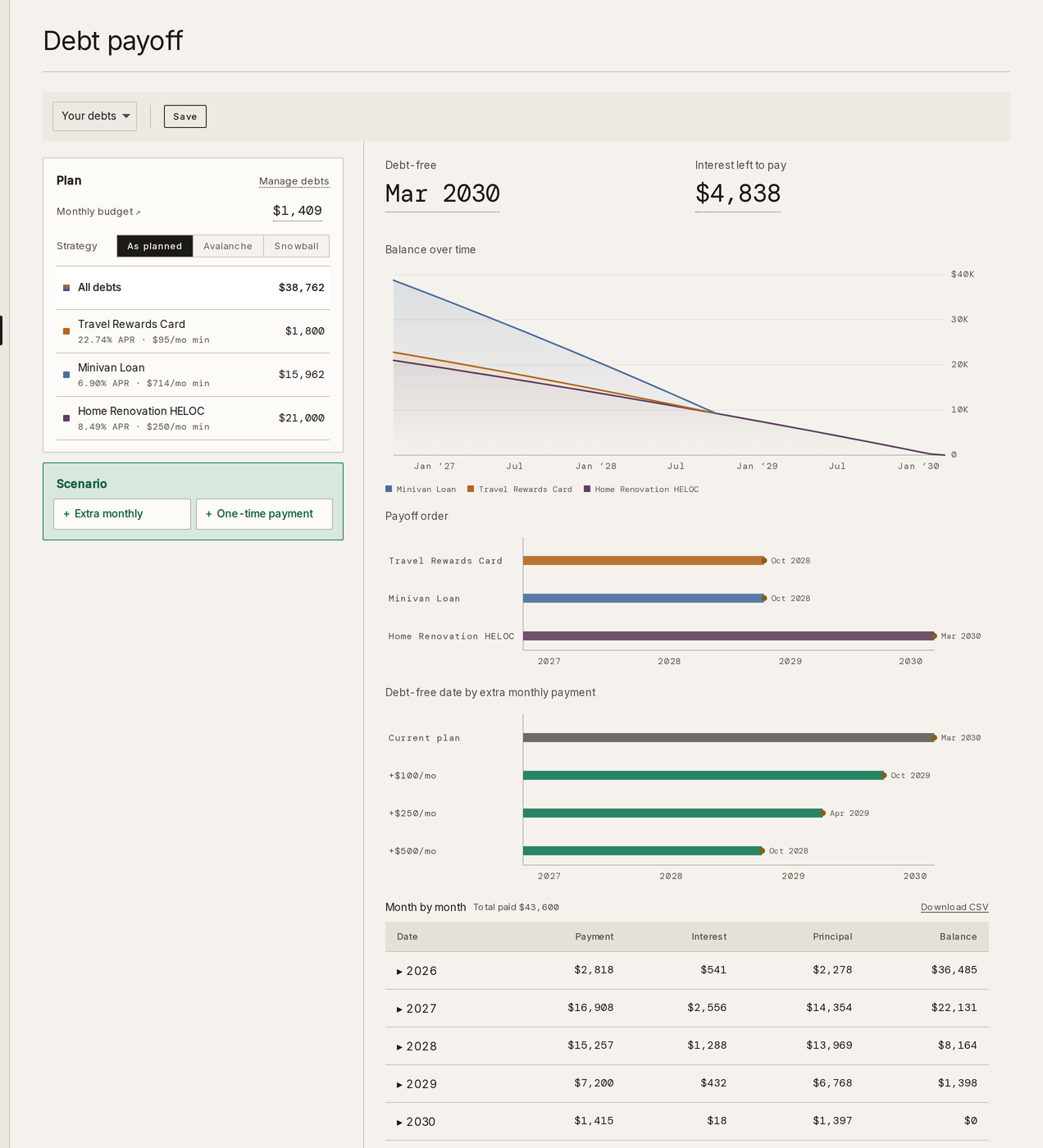
How this calculator works.
The calculator charges each debt a month of interest on its balance, pays each debt its minimum, and sends whatever is left of the monthly budget to one priority debt. When a debt clears, its minimum is freed and the budget stays the same, so the next debt in line receives more. The order is the strategy: avalanche puts the surplus on the highest rate, snowball on the smallest balance. The monthly interest on each debt is:
I = B × r ÷ 12
I = this month's interest · B = the debt's balance at the start of the month · r = its APR as a fraction
What the budget buys
The monthly budget is the whole pool: the minimums plus whatever is left over. The minimums go out first, to every debt. The surplus goes to one debt, the one the strategy puts first. When that debt clears, the budget does not shrink, so its minimum joins the surplus and the next debt receives both. That rollover is why the last debts in a plan clear faster than the first.
Avalanche and snowball
Avalanche orders the debts by rate, highest first, and pays the least interest over the life of the plan. Snowball orders them by balance, smallest first, and clears the first debt sooner. On many sets of debts the two orders are close in cost; on others, a high-rate balance left for last costs more. The calculator shows both totals at your budget so the gap is a number rather than a guess.
Extra and one-time payments
An extra monthly amount can run from now until the debts are gone, or over a window with a start and an end. A one-time payment can be aimed at a particular debt or left to the payoff order, and dated today or a later month. Both show up as a change against the plan without them: months sooner, interest avoided.
What it leaves out
Nothing new is charged to the cards. The rates and the minimums you enter hold for the whole projection. A promotional rate that ends, a minimum that falls with the balance, a fee, or a balance transfer sits outside it. It is a model of the payoff, not a statement from a lender.
Terms used here.
- Avalanche
- A payoff order that sends the surplus to the debt with the highest rate first. It pays the least total interest for a given budget.
- Snowball
- A payoff order that sends the surplus to the debt with the smallest balance first. The first debt clears sooner; the total interest is usually a little higher than avalanche.
- Minimum payment
- The amount a lender requires each month. Here it is the figure you enter and it holds steady for the whole projection.
- APR
- The annual percentage rate on a debt. The calculator charges one twelfth of it on the balance each month.
- Rollover
- What happens to a cleared debt's minimum: the budget stays the same, so the freed amount lands on the next debt in the payoff order.
- Debt-free month
- The month in which the last debt in the plan reaches a zero balance.
Asked often.
Both pay every debt its minimum and send the rest of the budget to one debt at a time. Avalanche targets the highest rate first, which minimizes the interest paid. Snowball targets the smallest balance first, which clears the first debt sooner. The calculator runs both at your budget and shows the difference in total interest.
An extra monthly amount raises the budget, and the whole increase lands on the priority debt. Because that debt clears sooner, its minimum rolls over earlier, and every debt after it clears sooner too. The calculator shows the new debt-free month and the interest avoided next to the plan without the extra.
The balance grows that month, and the calculator shows the growth rather than hiding it. If every debt in the plan is growing, there is no payoff date at that budget and the projection says so. If another debt is still falling, the plan continues, and when that debt clears, its minimum rolls over and the growing debt can start to fall.
Yes. A one-time payment can be aimed at a debt by name or left to the payoff order, and dated today or a later month. Any amount above that debt's balance moves down the payoff order rather than being lost.
No. The calculator runs in your browser and nothing you type is sent anywhere. Inside Taiga Finance, the same planner runs on debts you connect or add and stays up to date as the balances change.