Keep the spreadsheet. Stop feeding it by hand.
You built the model and it works. What wears thin is the monthly round: a login at every bank, a CSV from each, a paste into the right tab. Taiga Finance pulls the data and fills the rows.
You built the model and it works. What wears thin is the monthly round: a login at every bank, a CSV from each, a paste into the right tab. Taiga Finance pulls the data and fills the rows.
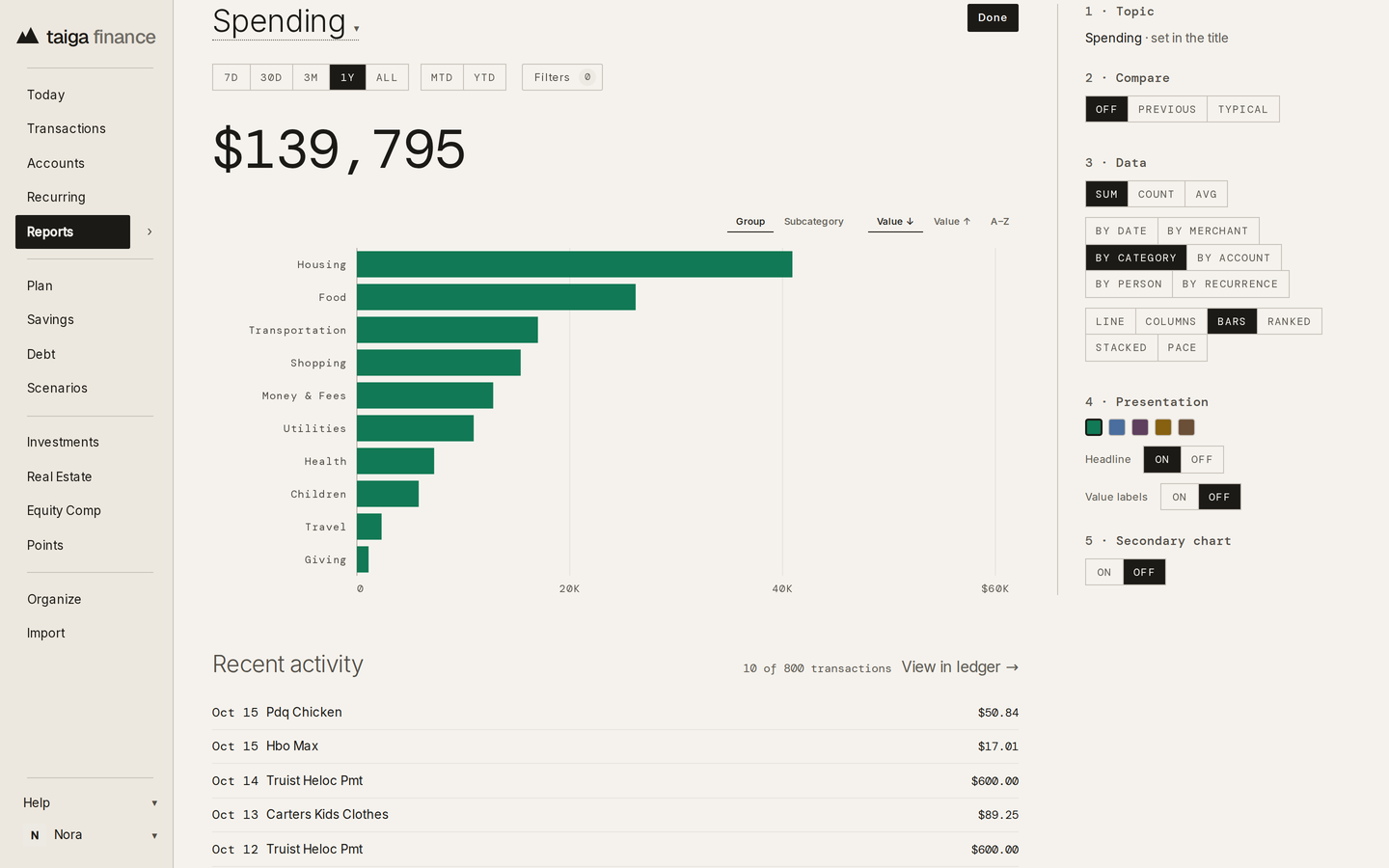
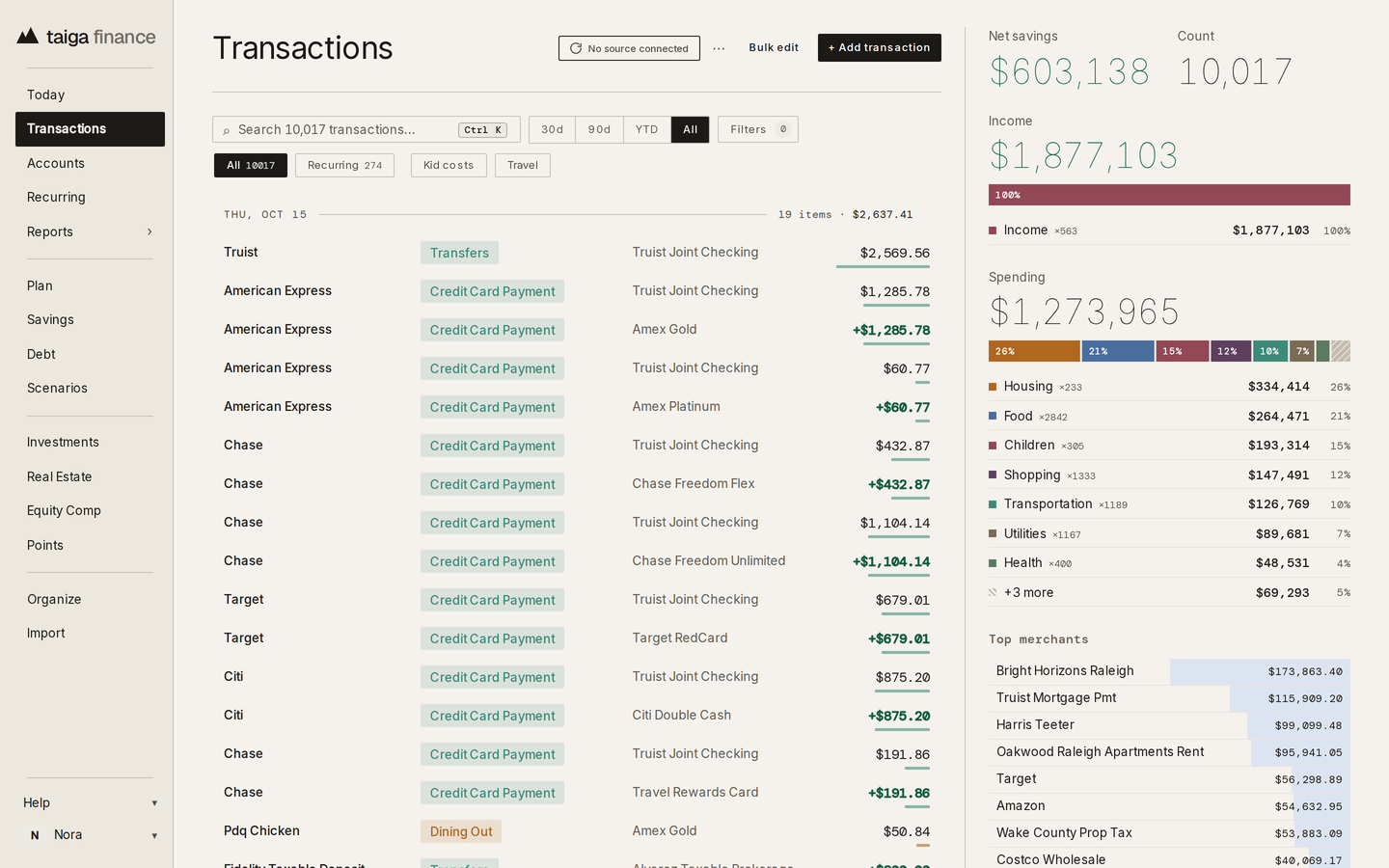
Taiga Finance does the pulling. Transactions from connected banks, cards and brokerages land in one ledger, each with a readable merchant, a category and its account. An account with no connection comes in from a CSV.
Taiga Finance writes Transactions, Balances, Holdings and Equity Grants into a spreadsheet you own, each on its own tab, after every sync. It never reads from the sheet and never touches your other tabs or the formulas on them.
Google Sheets in the help center →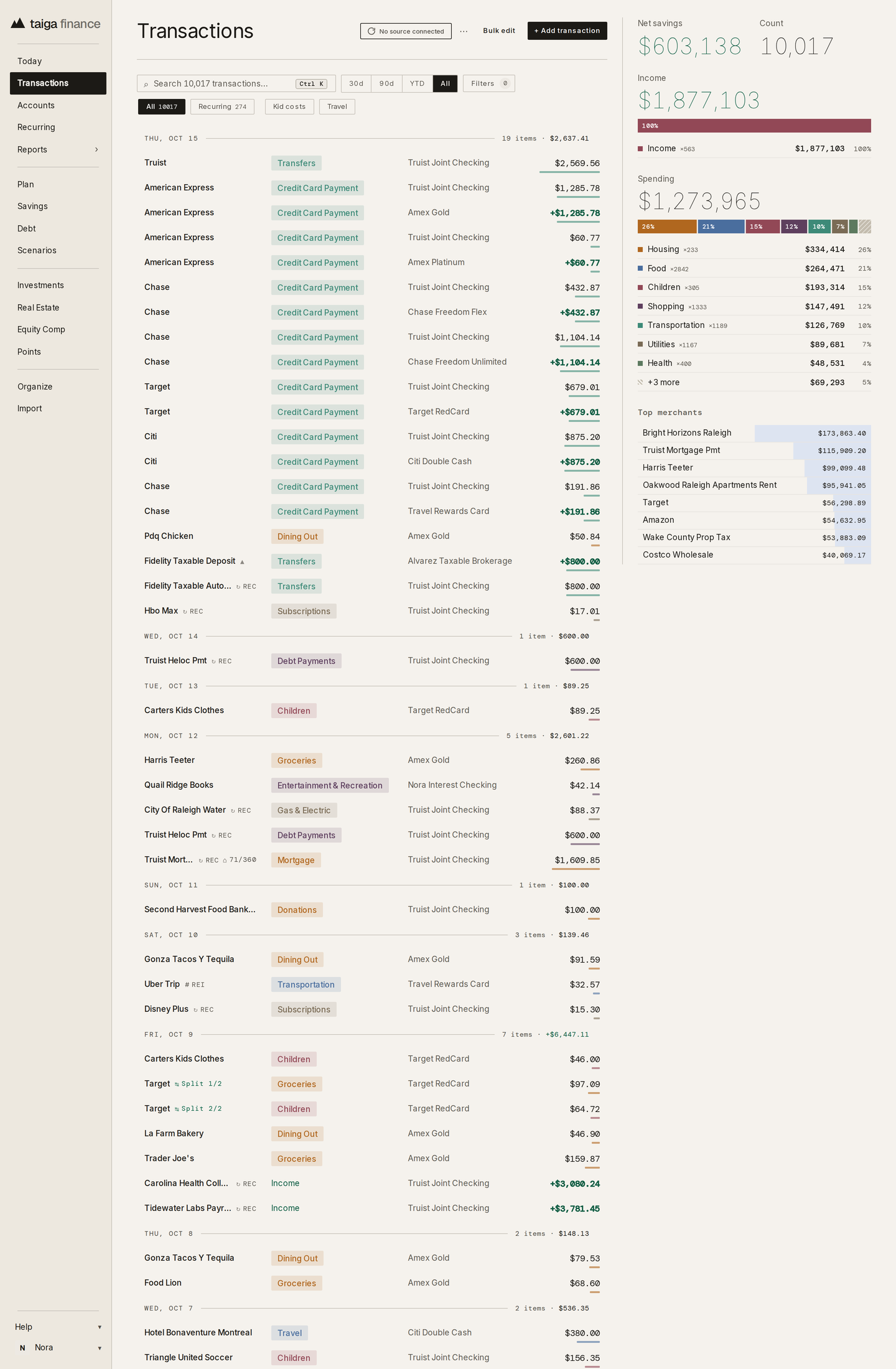
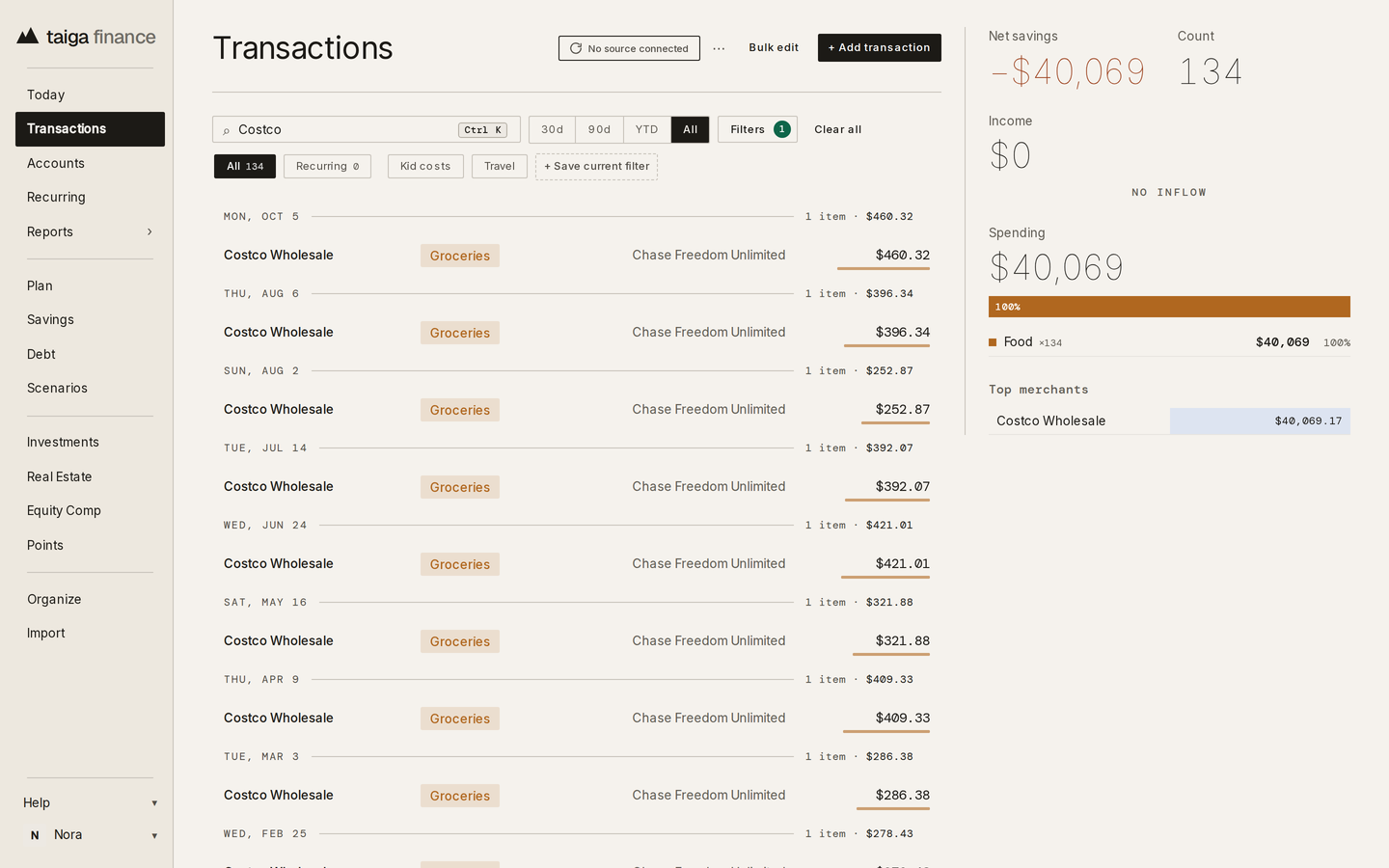
A search, a date range, and the accounts, categories and amounts you chose all carry into the exported file. One merchant across your whole history is one CSV.
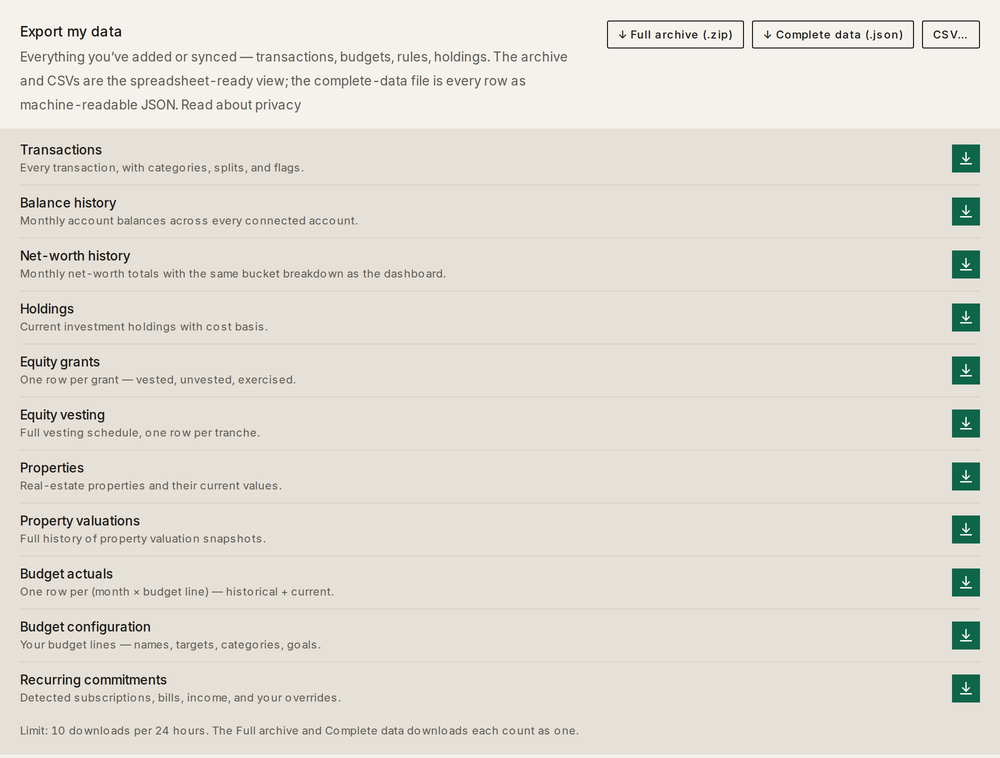
Eleven datasets download as CSV, one at a time or together as one ZIP: transactions, balance history, net-worth history, holdings, the budget, recurring items, property valuations and more. A complete-data file holds every underlying row as JSON.
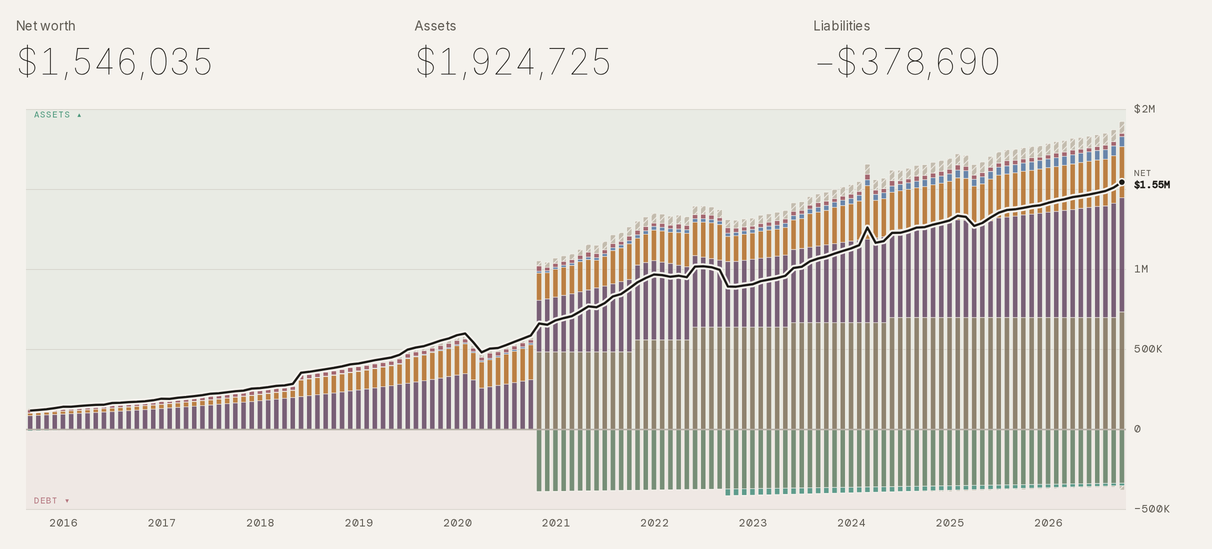
Taiga Finance keeps a balance history for each account and exports it at monthly or daily grain. The file and the net-worth chart come from the same rows.
Under a planner's chart sits the table of figures behind it, with a Download CSV link. The arithmetic is yours to check, or to carry on in a sheet of your own.
Data portability, feature by feature →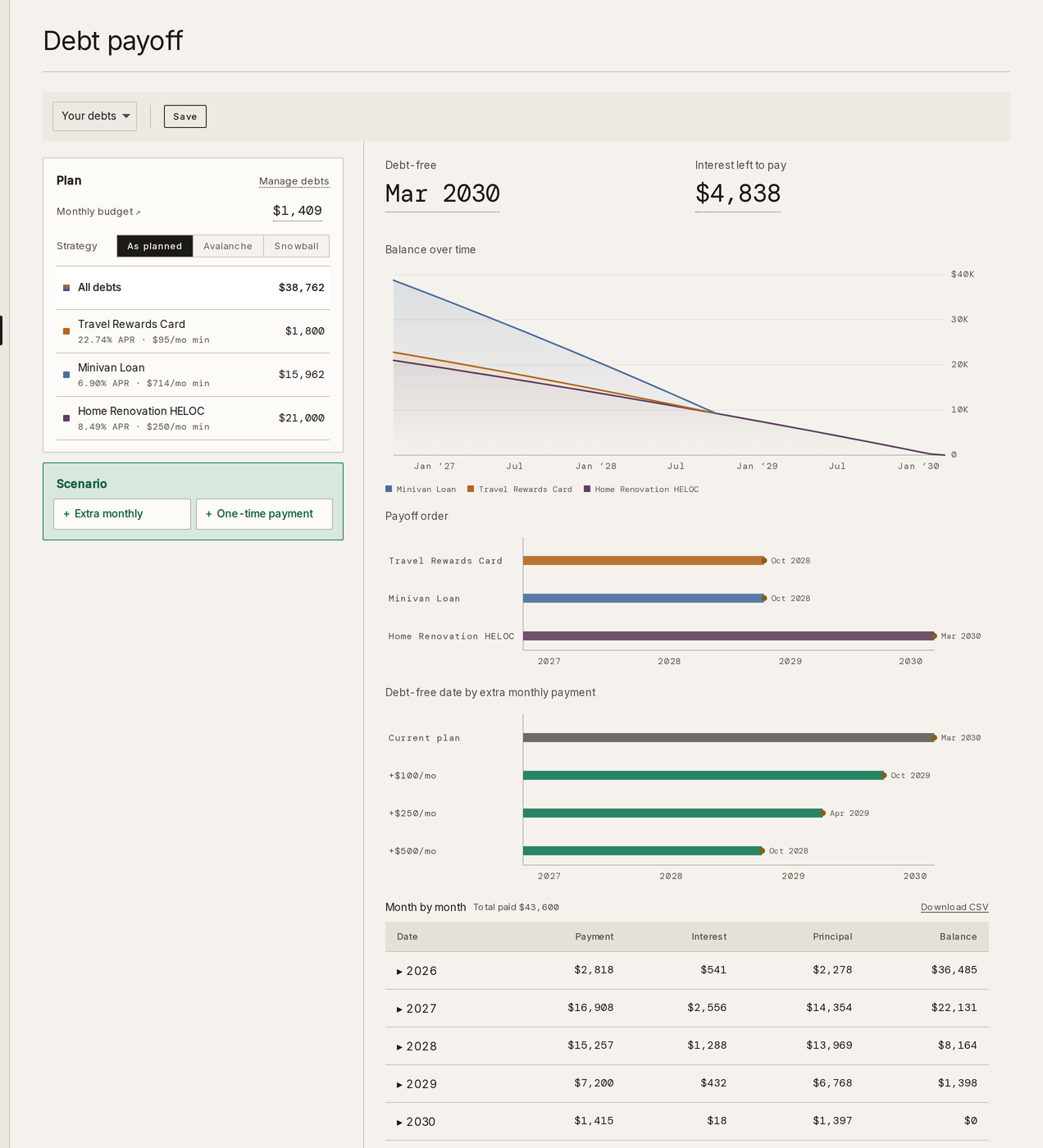
Yes. Taiga Finance writes four datasets into a Google Sheet you own, each on its own tab, after every sync of your accounts: Transactions, Balances, Holdings and Equity Grants.
Only on its own tabs. A push replaces the data on the tabs Taiga Finance manages, which are labeled in row 1 and marked protected. It never reads the sheet and never touches your other tabs.
Yes. The full transactions file has one row per split leg, each with its category, amount and note. For a slice of them, an export from the Transactions page mirrors the filter on screen.
Yes, ten per person in any rolling 24 hours, counting downloads and manual pushes to the sheet. The automatic push after a sync doesn't count.
No. Your data leaves as CSV files, as one ZIP of every dataset, as a complete JSON file, or through the Google Sheet.
Yes. The report builder groups transactions or balances by category, merchant, account or person, compares with the previous period, and saves the result beside the built-in reports.
$12 a month or $90 a year, after 14 free days. Exports and the Sheets sync are part of the one plan.