Is it enough, and when? The math, run on your real balances.
Most retirement calculators start from numbers you type into a form, and the free ones end in a sales call. Taiga Finance starts from your actual accounts, and shows its work.
Most retirement calculators start from numbers you type into a form, and the free ones end in a sales call. Taiga Finance starts from your actual accounts, and shows its work.
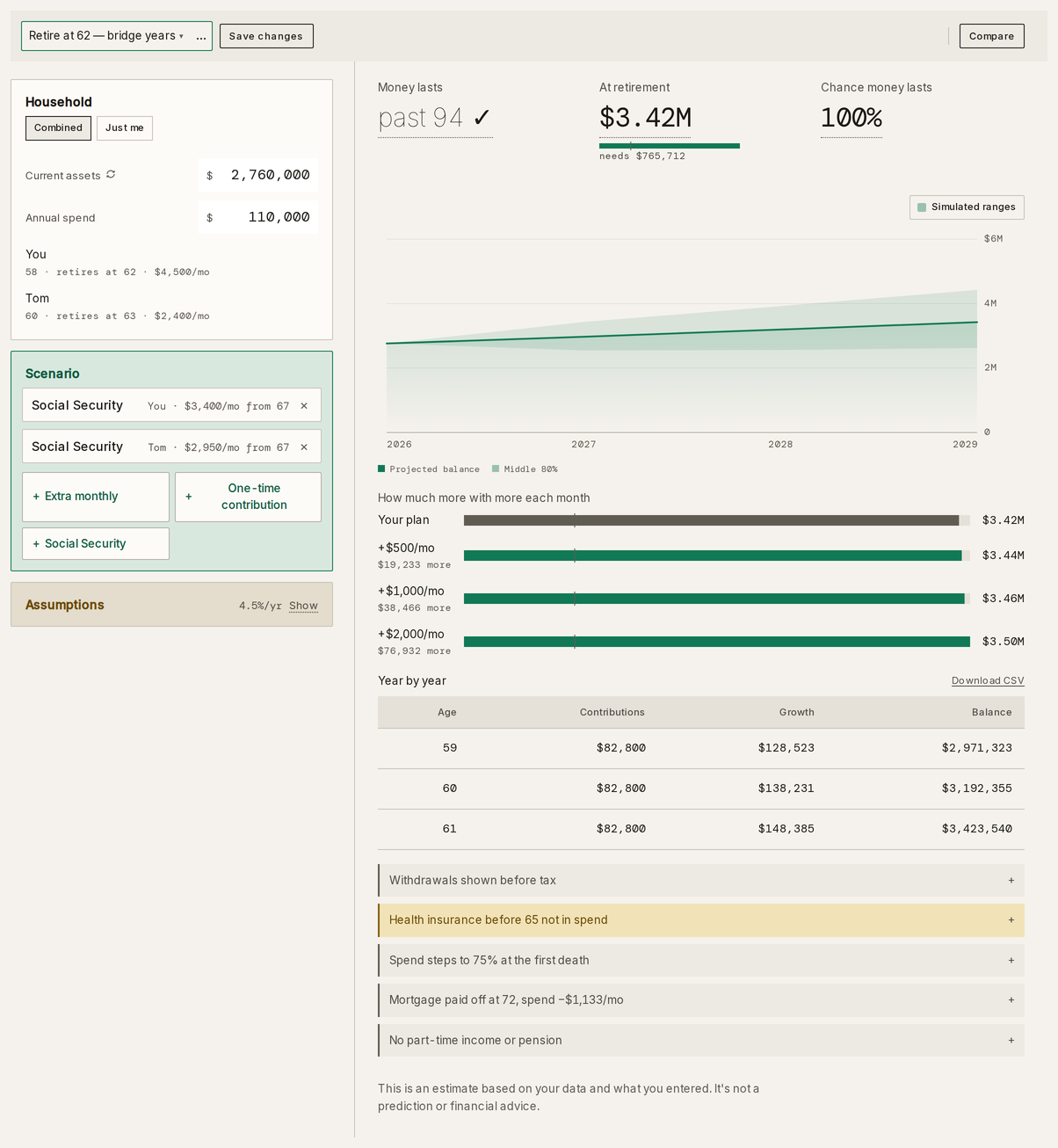
A figure in the planner opens into the lines behind it: annual spending, Social Security, the balance at retirement, the first-year withdrawal rate. Under the chart, Taiga Finance lists what the plan doesn't capture.
Scenarios in the help center →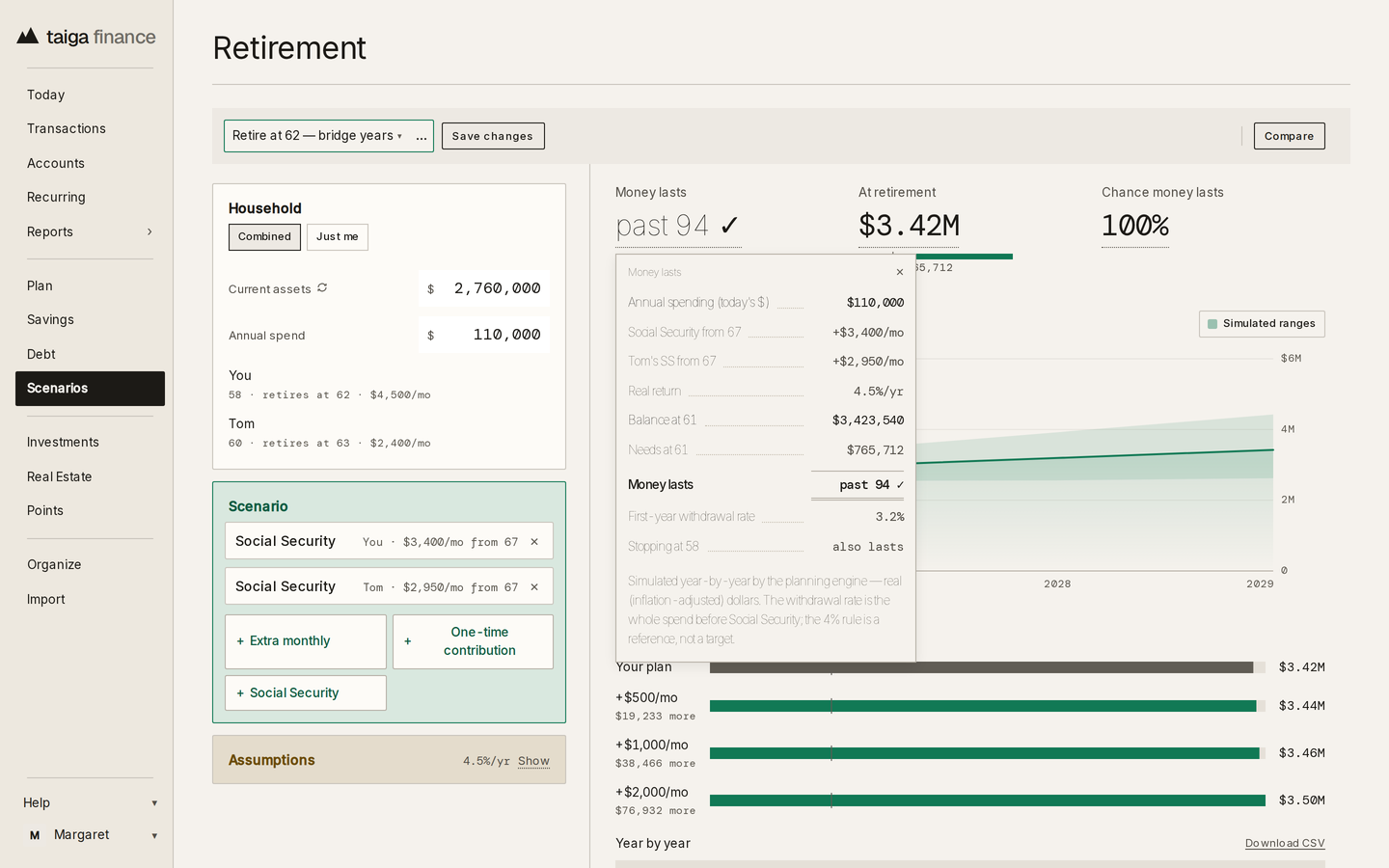
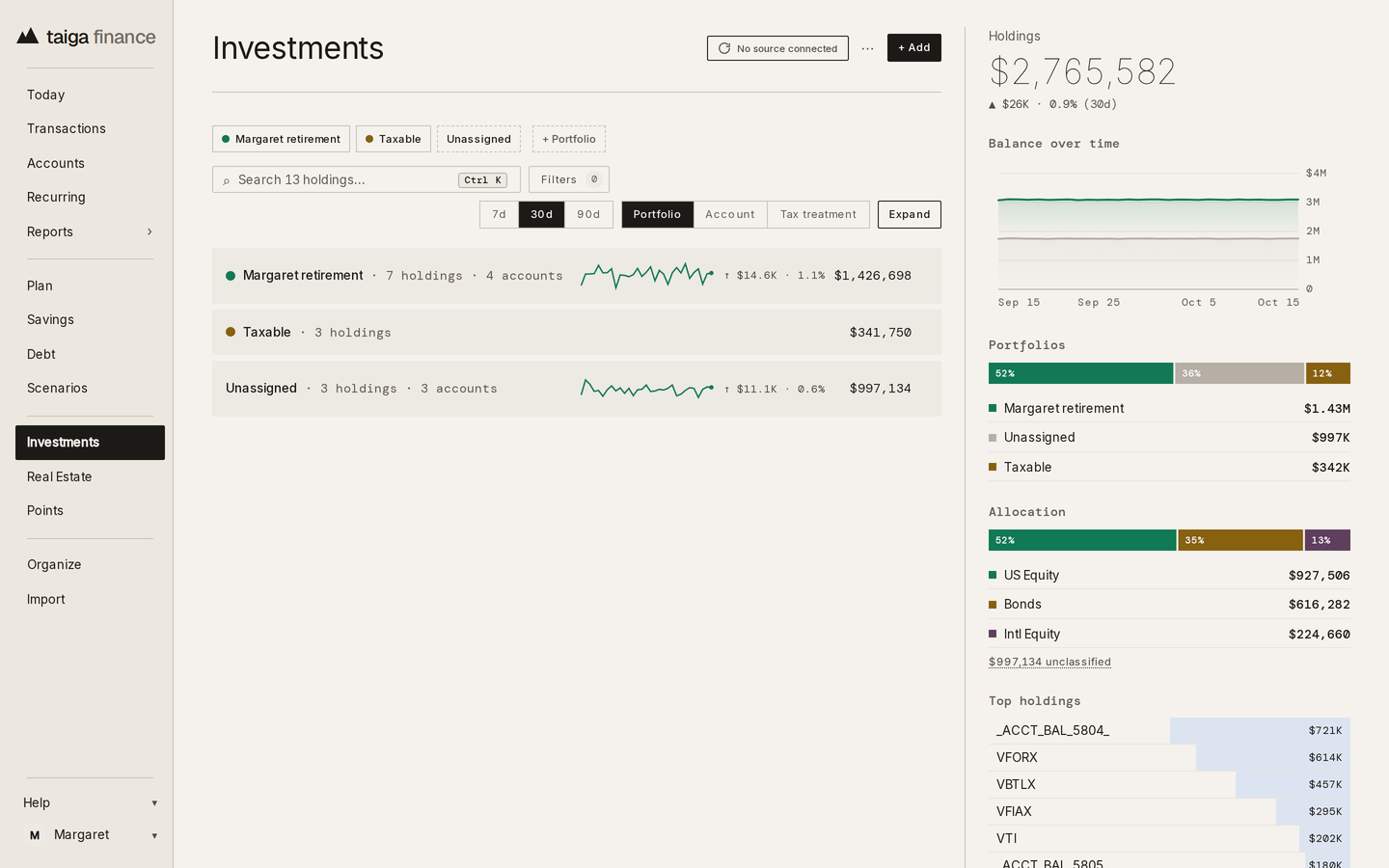
Taiga Finance reads the holdings in your connected brokerage and retirement accounts, and the planner starts from their current total. When you move the retirement date by a year, the projection redraws from the same balances.
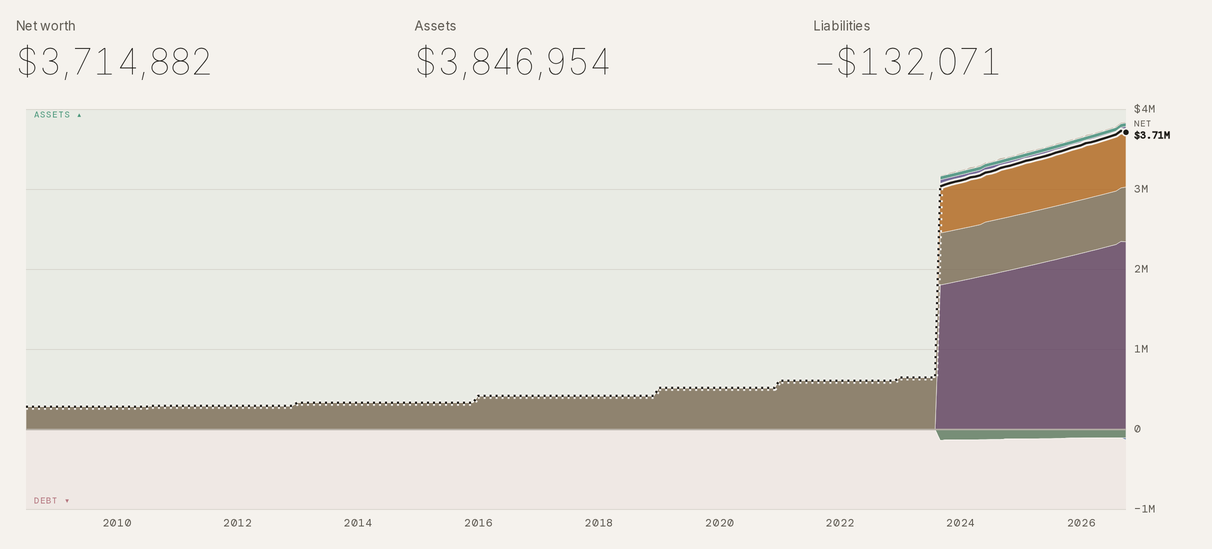
Net worth by class shows where the money sits and how that changed: retirement accounts, taxable investments, property and cash as bands over time, with debt below the line.
You can save a scenario under a name and compare the plan against it: one retirement age against another, or one level of spending against a lower one. Nothing in your accounts changes.
Scenarios and reports, feature by feature →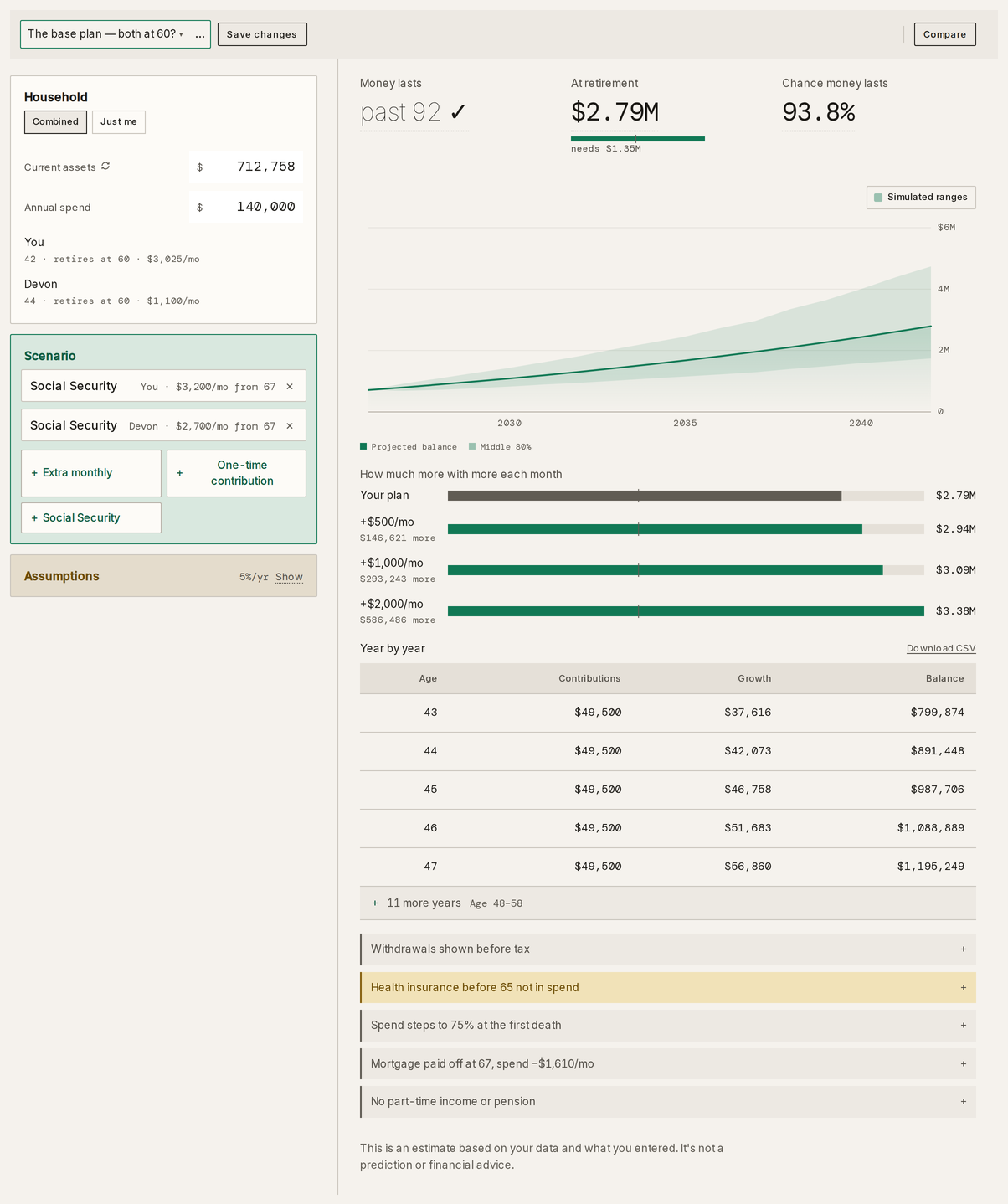
Yes. The Taiga Finance retirement planner starts from the balances in your connected and manual accounts, with no figures to retype into a form. You can still type over an input inside a scenario.
Yes. You can save one as a named scenario and compare the other against it. For each one, the planner shows the first-year withdrawal rate and the balance at retirement.
Taxes, health insurance before 65 and part-time income, among others. The planner lists each one under the chart, in a section headed what this plan doesn't capture. Social Security is a block you add with your own benefit and claim age, and figures are in inflation-adjusted dollars.
Yes, as an option. A Simulated range chip re-runs the plan under randomized yearly returns and reports the chance the money lasts, alongside the single projection at your expected return.
No. Taiga Finance manages no money, employs no advisors and sells no financial products. It does not give advice. The planner shows the figures that follow from your inputs.
$12 a month or $90 a year, after 14 free days. There is one plan, and the planners are part of it.