A plan you make once, and check-in on.
Most budgets end the same way: a few weeks of sorting spending into categories, then nothing. Taiga Finance takes the plan once, keeps it current from your accounts, and what's left is checking in.
Most budgets end the same way: a few weeks of sorting spending into categories, then nothing. Taiga Finance takes the plan once, keeps it current from your accounts, and what's left is checking in.
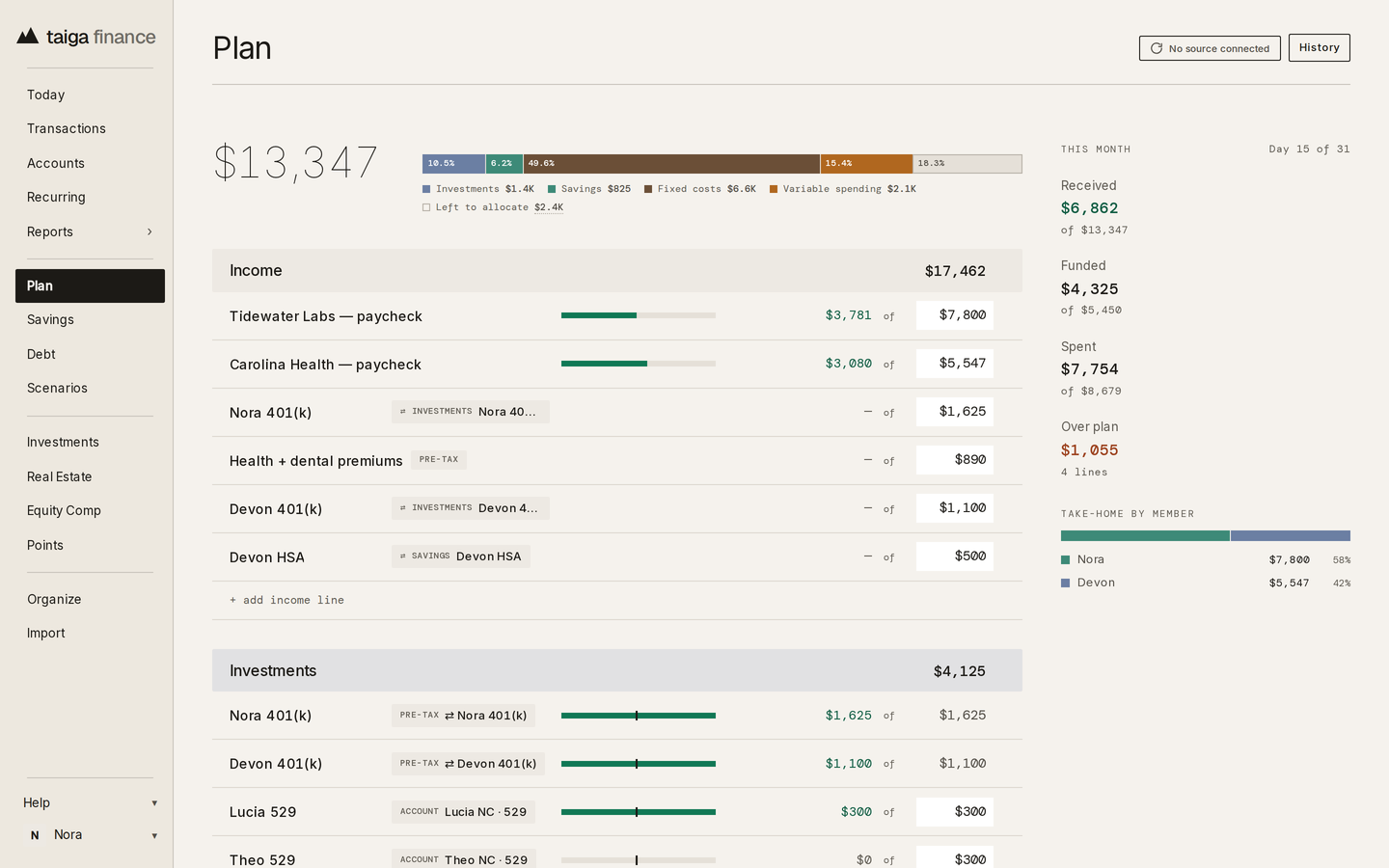
There is no blank sheet. Three of the four starting points are drafted from your recent spending, and every line stays editable on the plan. Custom is the one that starts empty.
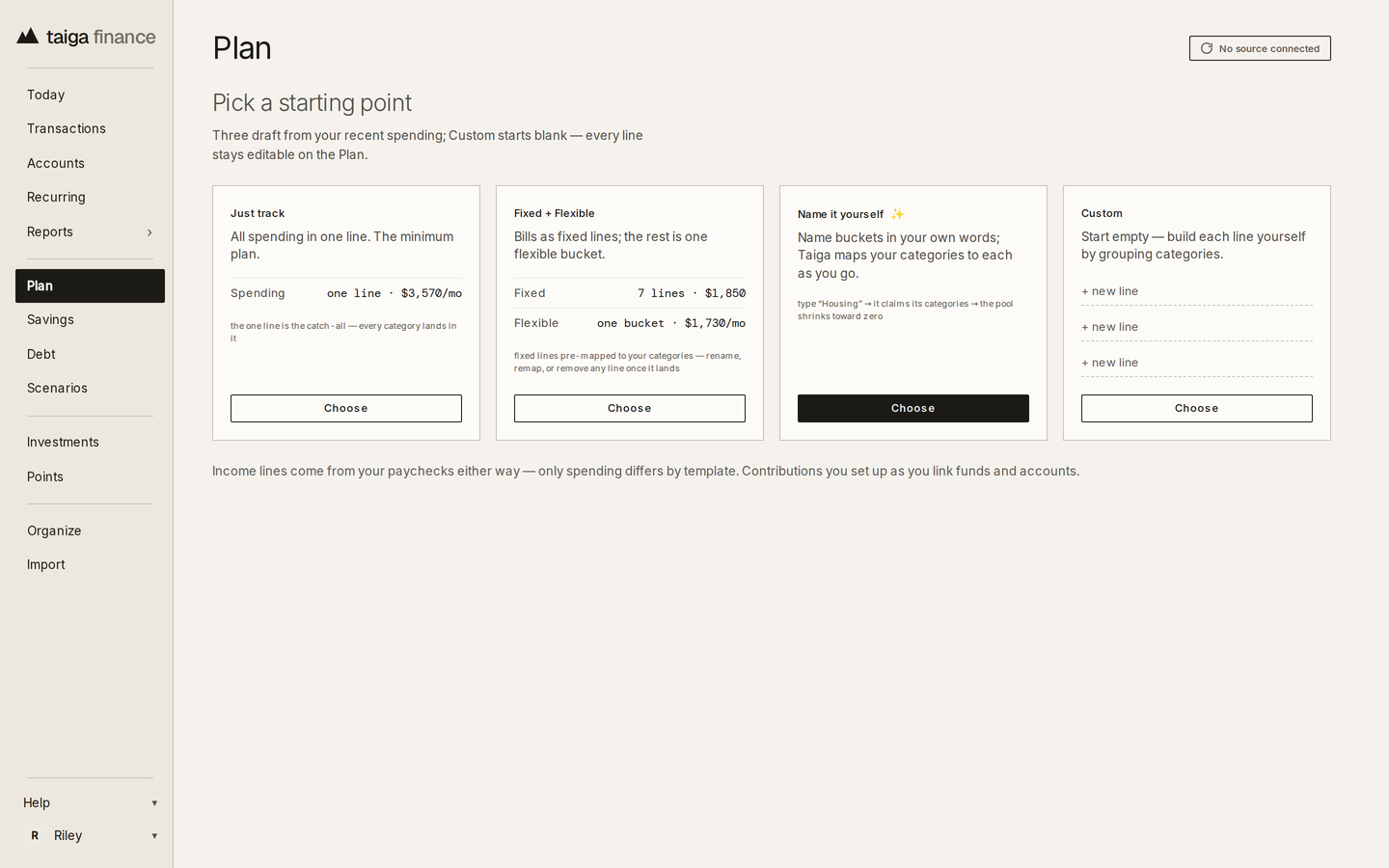
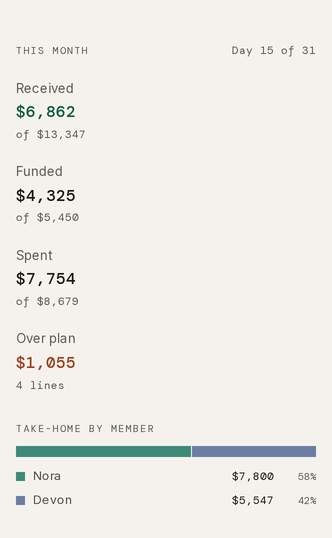
Income at the top, investments, savings and the fixed bills funded next, and the rest is what's open to spend. The month's summary keeps three figures: received, funded and spent, each against the plan.
Taiga Finance lists the bills, subscriptions and paychecks it finds repeating in your transactions. A price change on one of them shows the old and new amounts beside the name.
Recurring charges in the help center →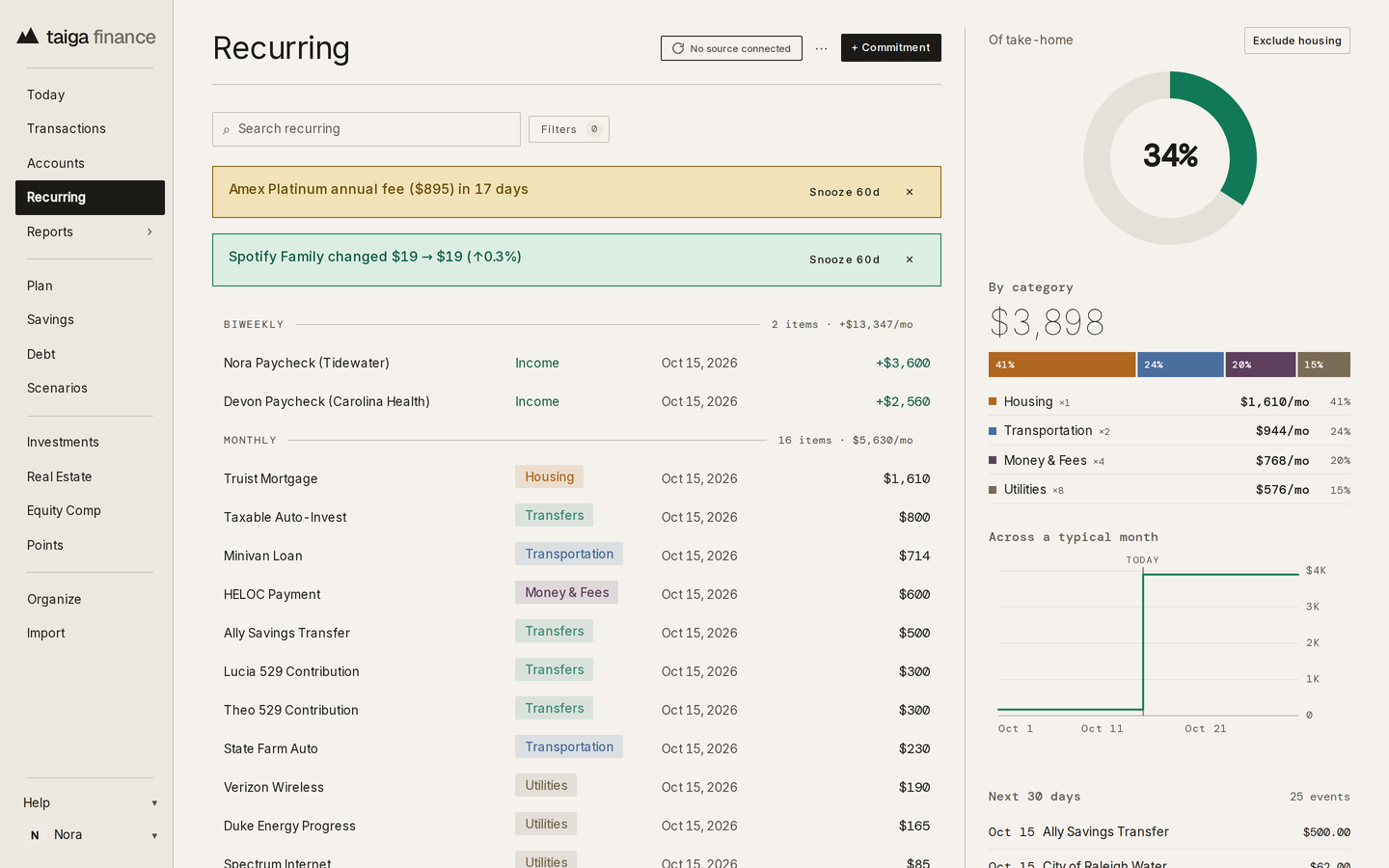
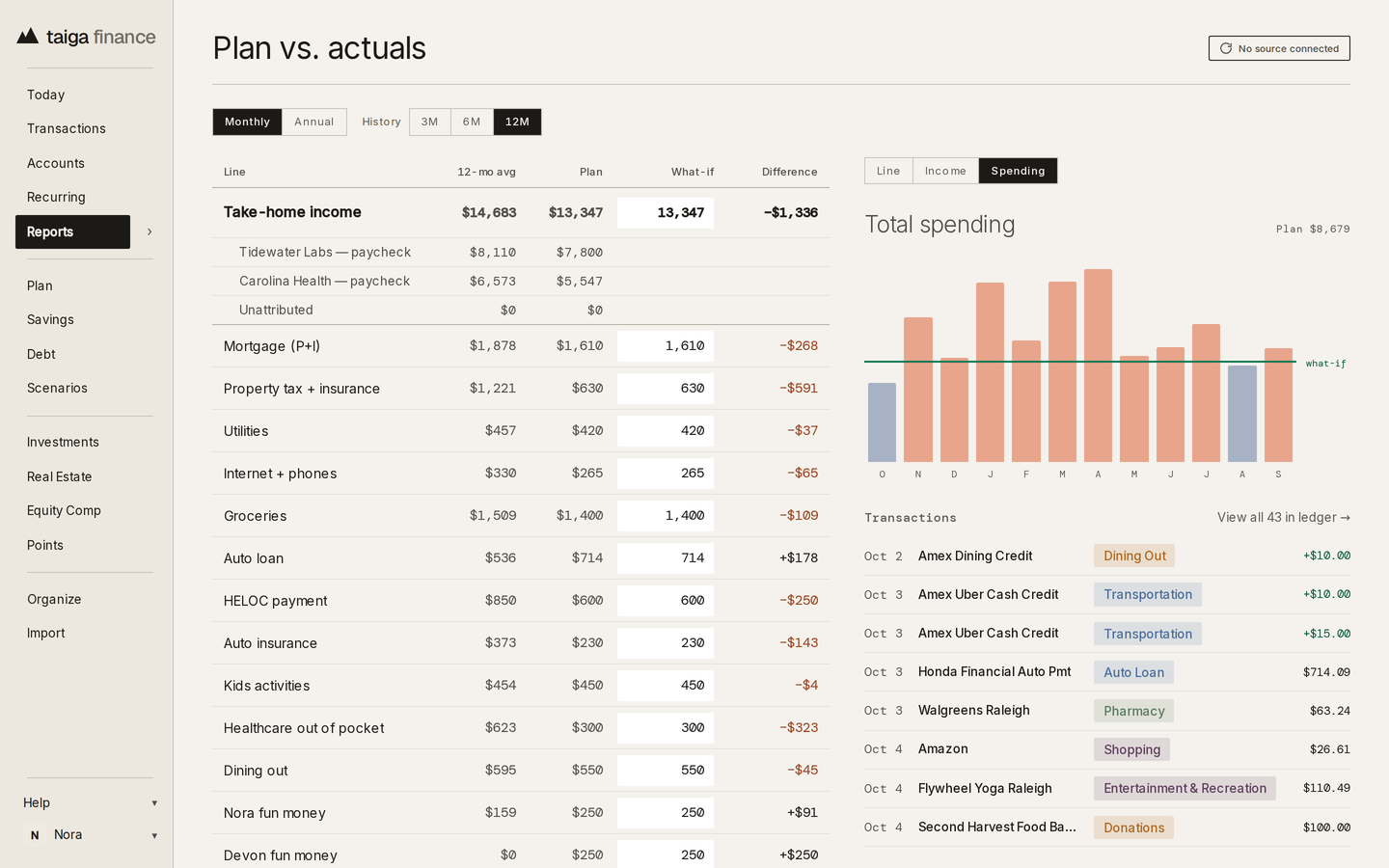
A line shows its twelve-month average beside the planned figure and the difference between them, with the month's bars for whichever line is picked. A line running over its plan stands out.
A trip, a roof, an emergency fund: each is a named slice of a real account, with the month it reaches its target at the contribution on the plan. A different contribution moves the month.
Savings funds in the help center →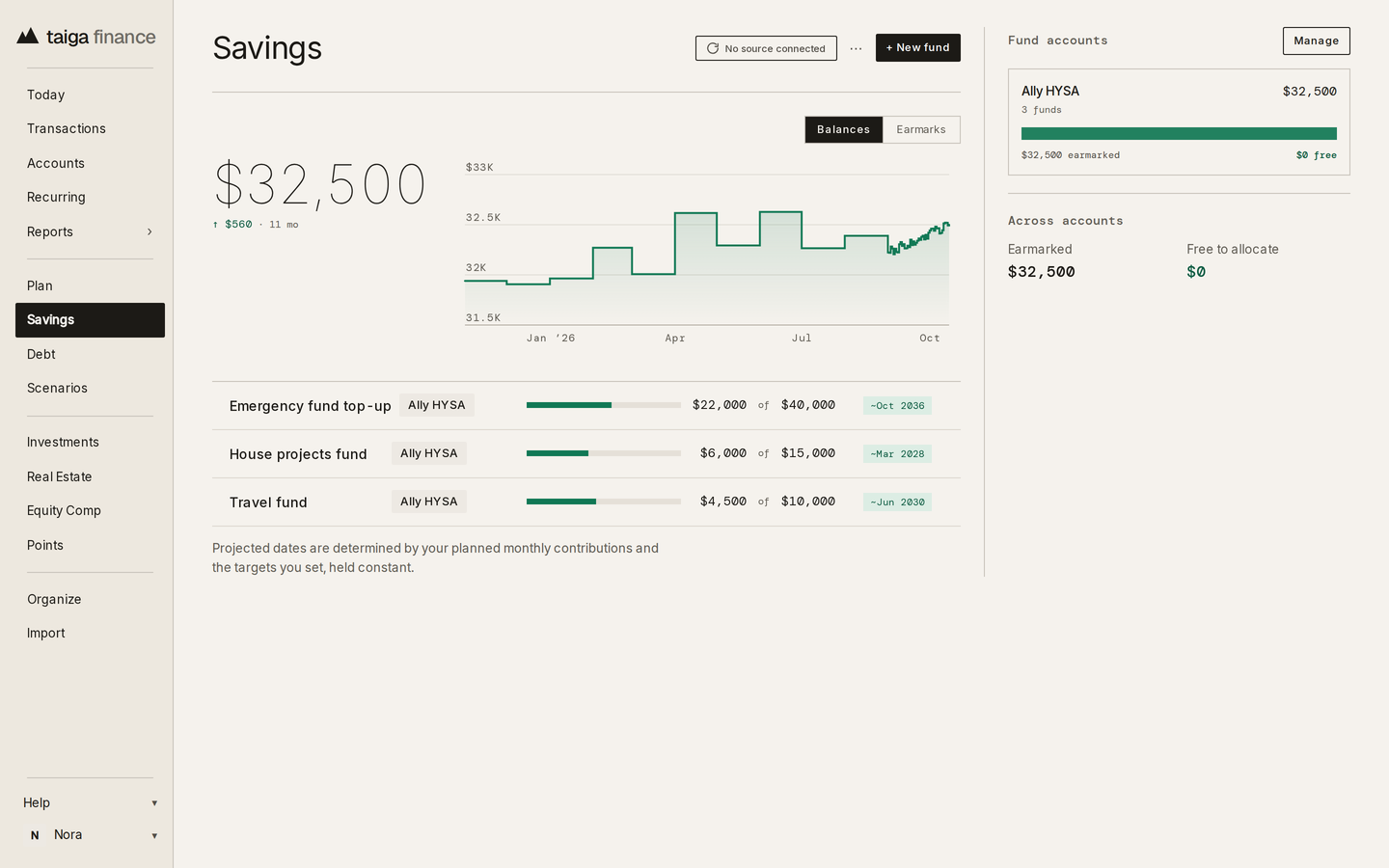
A debt keeps its planned payment, and the payoff section reads the debt-free month and the interest left to pay from it. Avalanche and Snowball reorder the same payments, and a larger one is a what-if on the planner.
The payoff plan in the help center →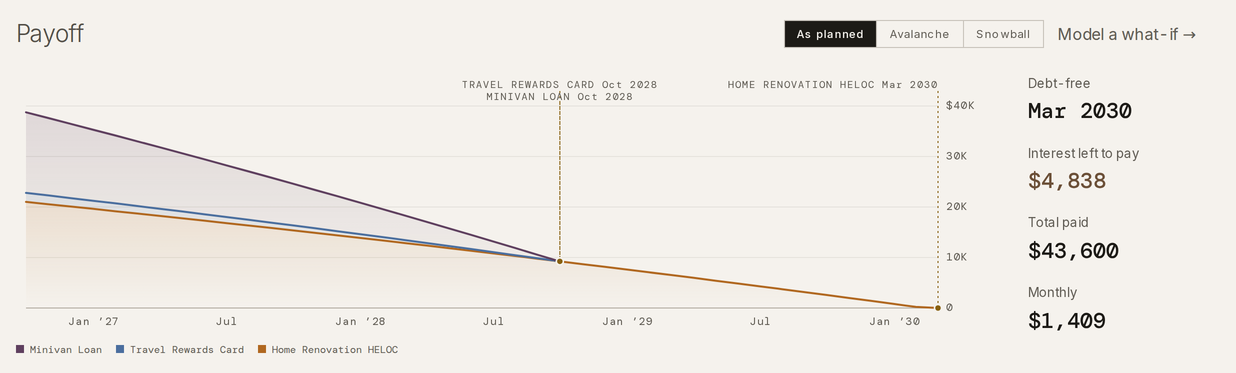
No. The lines are yours to set, drafted or not. Taiga Finance shows what the plan adds up to and how the month is tracking against it. It doesn't recommend.
Yes. Received, funded and spent update from your connected accounts through the month. The plan column stays what you set, and the actuals fill in beside it.
Yes. A line's amount can change on any day of the month, and a line can be set to carry what's unspent into next month instead of resetting.
Yes. YNAB's Budget.csv imports as plan lines, one per category, each reviewed before it lands, and its Register.csv comes in as transactions. YNAB's goals aren't in the export. The Data portability page covers the importers.