taiga financeJoin the waitlist

Your data is yours. In with a file, out with a click.

Everything Taiga Finance holds is yours. It reads history from another app, a bank's file or a brokerage statement, keeps it current from connected accounts, and hands it back as files on request.
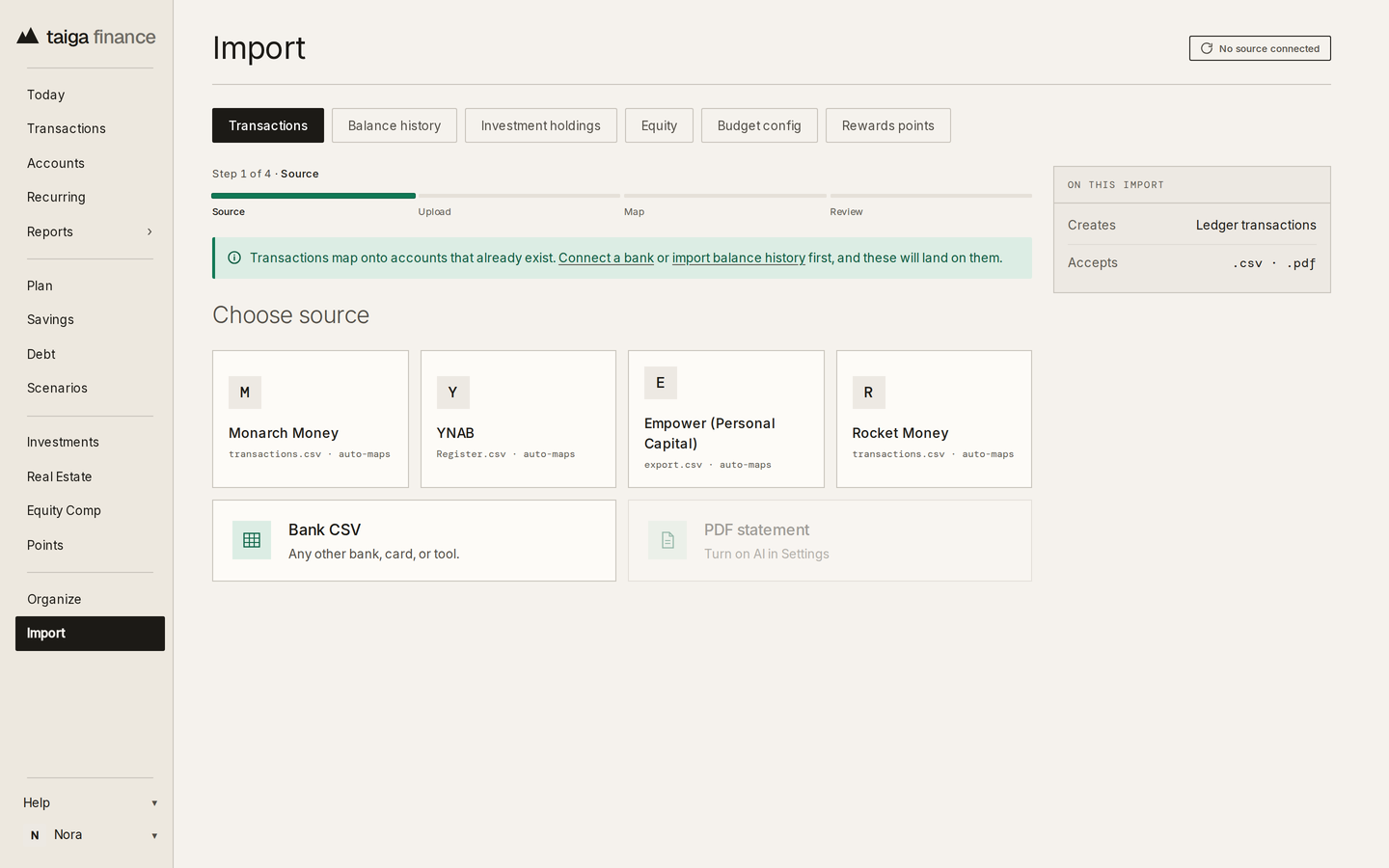
Taiga Finance · Import, the Transactions tab: Monarch Money, YNAB, Empower and Rocket Money as sources, with Bank CSV and PDF statement below
Import

Years in another app, none of it retyped.

An importer for Monarch Money, YNAB, Empower and Rocket Money reads that app's own export and carries the history across, accounts and categories matched once at review.

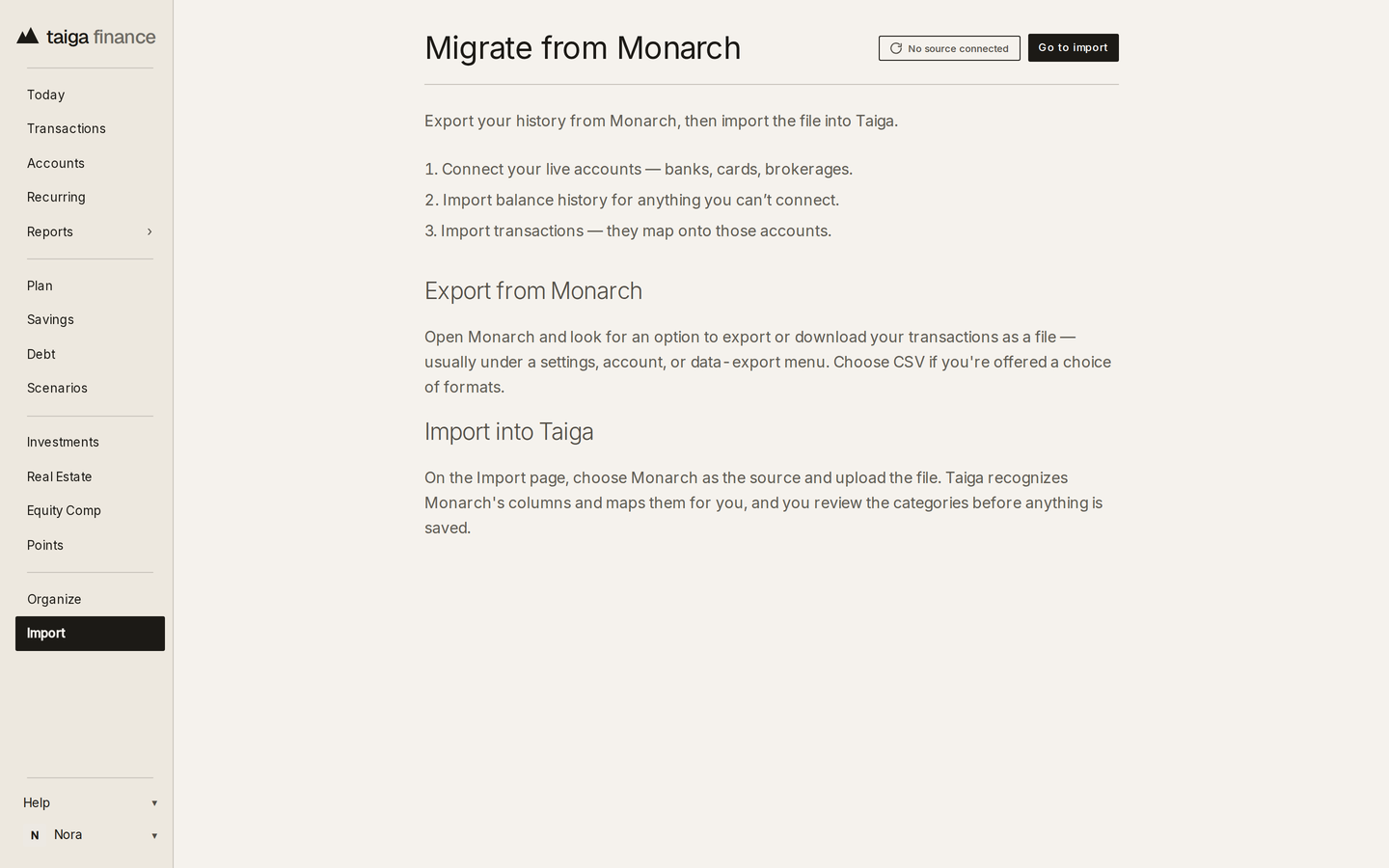
The migration guide, step by step →
Taiga Finance · the in-app Migrate from Monarch guide: connect live accounts, import balance history, then import transactions
Import · Balance history

Full history, connected or not.

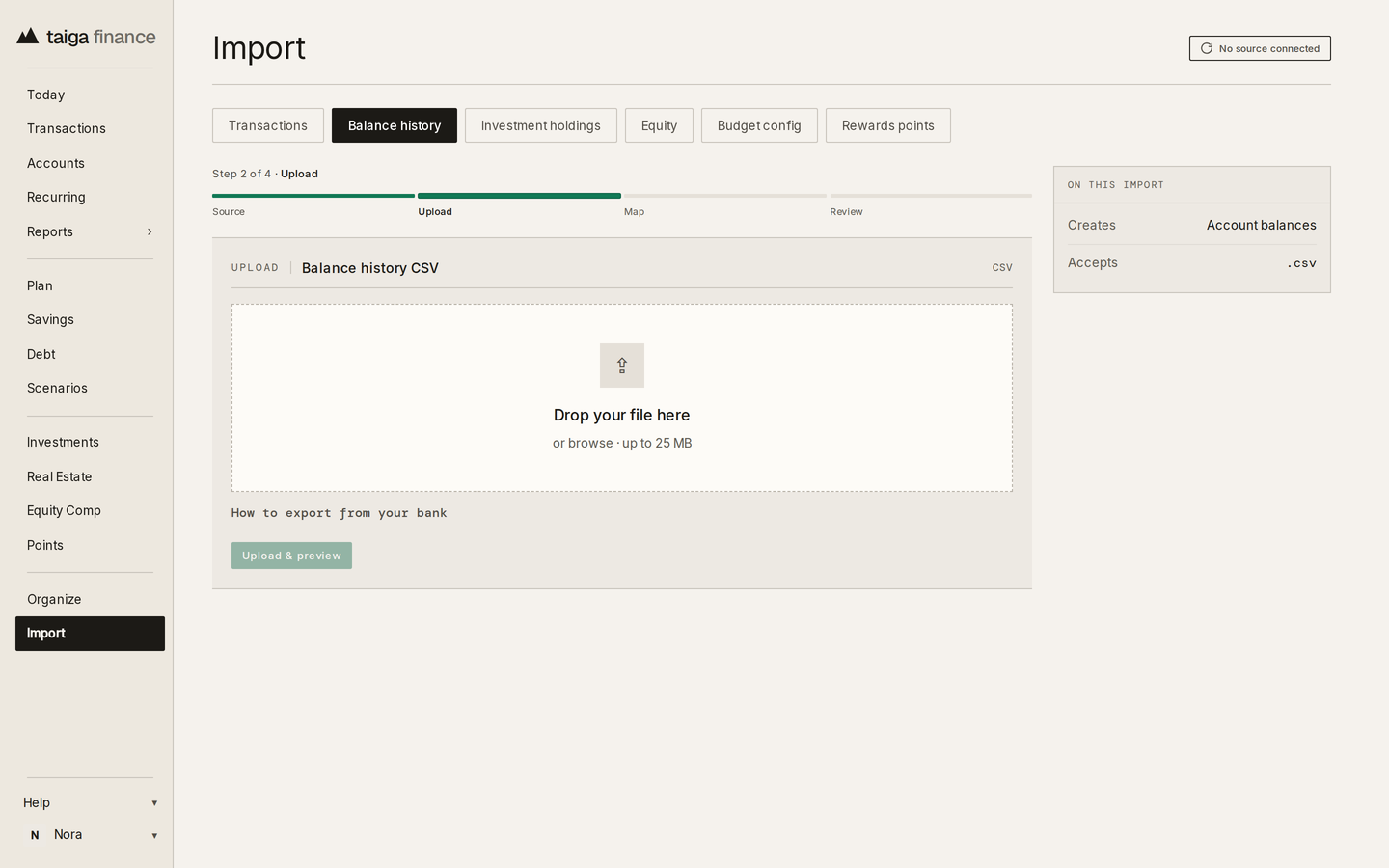
An account no connection reaches still gets its complete history, transactions and balances, from any bank's or card's CSV.

What each import reads →
Taiga Finance · Import, the Balance history tab at the upload step, a drop zone for a balance history CSV
Import · Investment holdings

Holdings, crypto and equity, moved too.

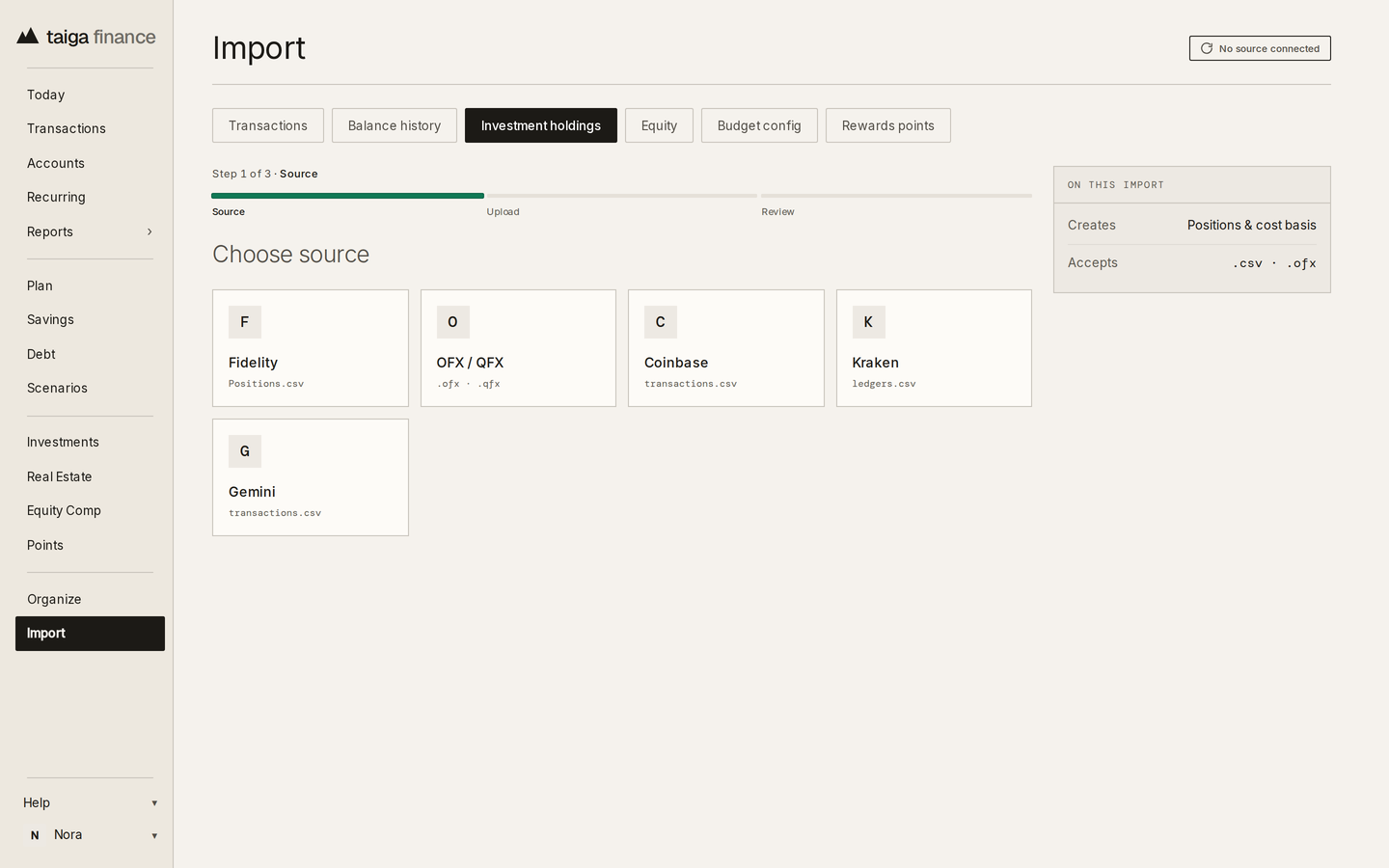
Taiga Finance reads positions from Fidelity, OFX and QFX statements from other brokerages, trade history from Coinbase, Kraken and Gemini, and Carta's exercise export for startup equity.

Taiga Finance · Import, the Investment holdings tab: Fidelity, OFX / QFX, Coinbase, Kraken and Gemini as sources
Accounts

Balances that keep themselves current.

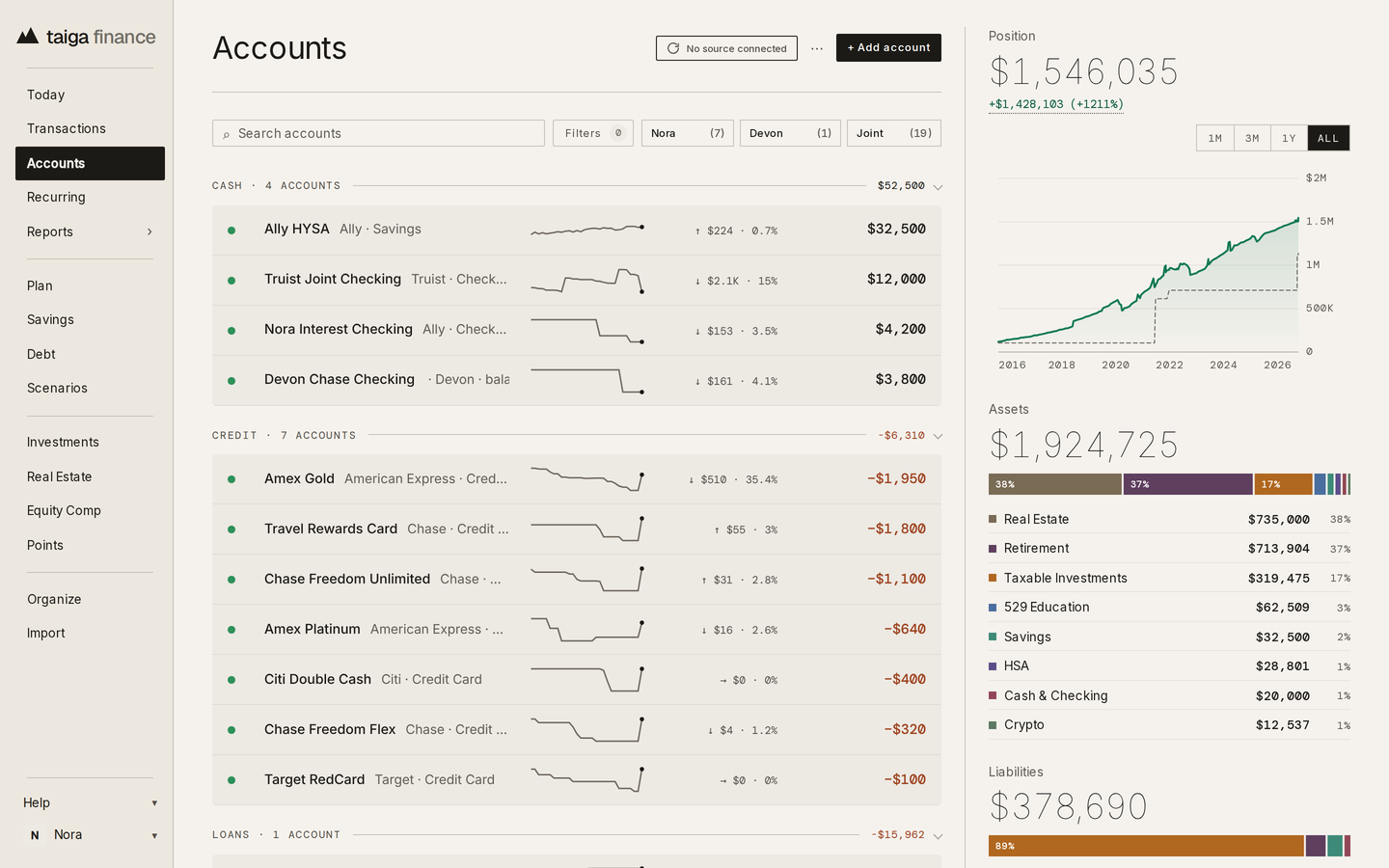
Once the history is in, nothing gets retyped again. Banks, card issuers and brokerages connect read-only through Plaid, after a consent page of Taiga Finance's own, and the login is typed in Plaid's window, never here.

Connect a bank, in the help center →
Taiga Finance · Accounts: cash, credit and loan accounts with a balance sparkline each, and the position, assets and liabilities in the rail
Settings · Google Sheets

The spreadsheet stays.

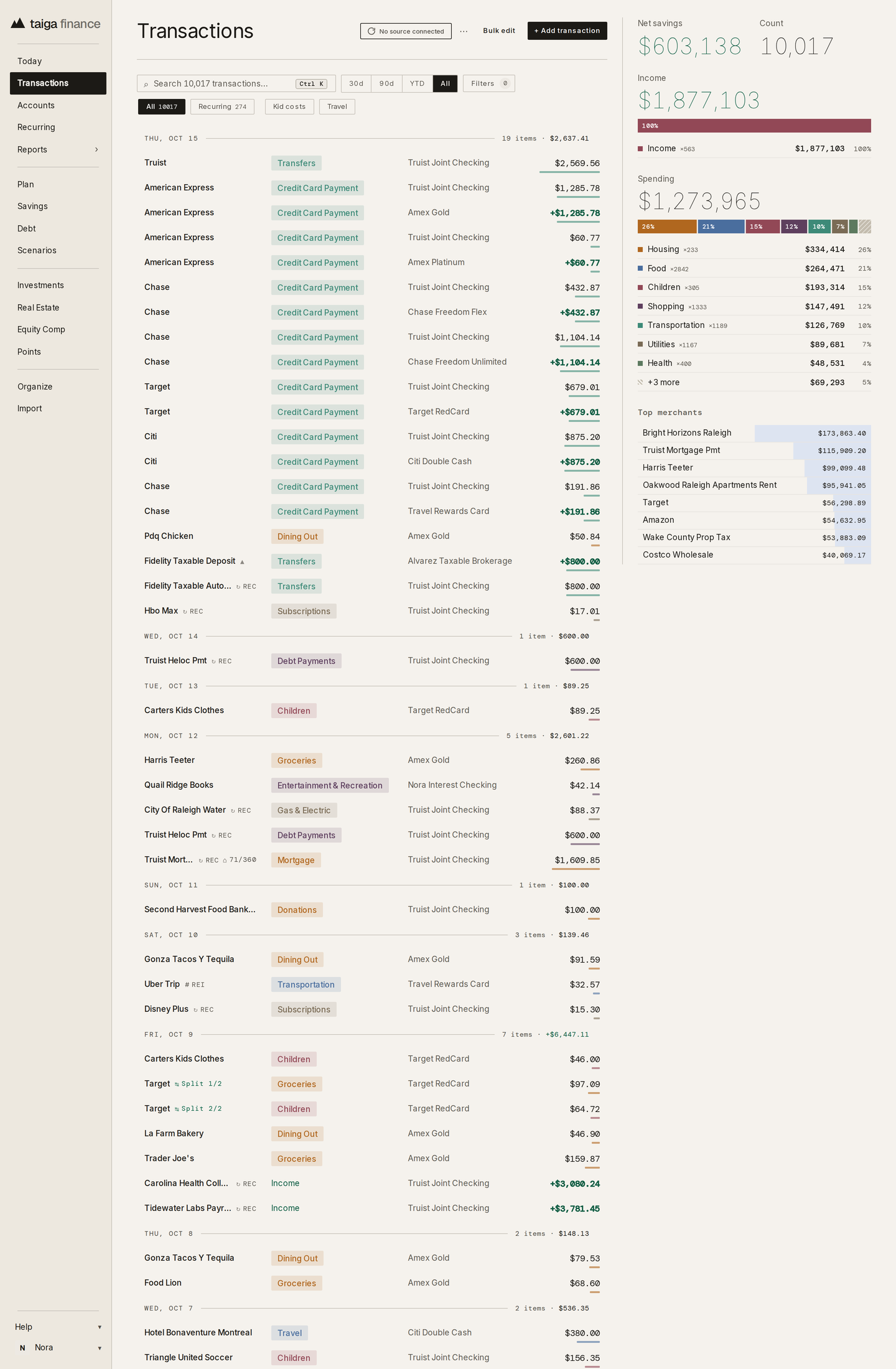
No more exporting a file every month and pasting it into the sheet. Taiga Finance creates a Google Sheet in your Drive, writes transactions, balances, holdings and equity grants to its tabs after every sync, and can reach no other file there.

Google Sheets in the help center →
Taiga Finance · the full Transactions ledger, the first of the four datasets the Google Sheet carries
Settings · Export my data

Leaving is a download, then a click.

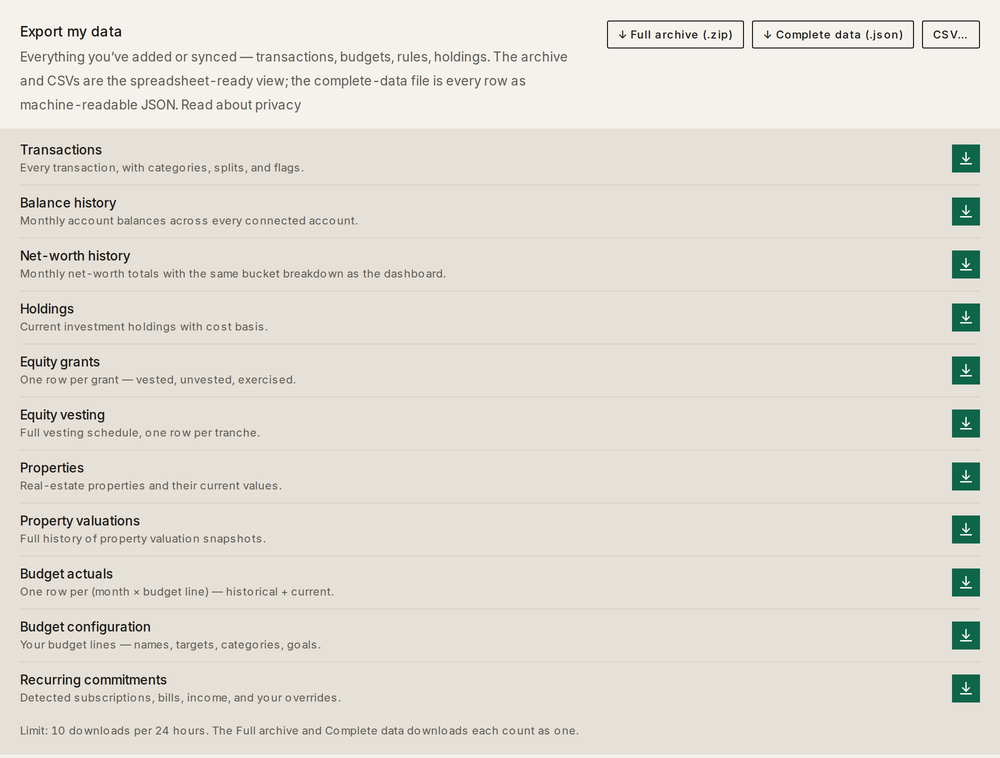
Everything above leaves with you, whenever you decide: eleven tables as CSV, all of them as one archive, or every row as JSON.

Export, wipe and delete in the help center →
Taiga Finance · Export my data: the Full archive, Complete data and CSV buttons above the eleven datasets, transactions through recurring commitments, each with its own download

Asked often.

With Taiga Finance, the whole picture is one glance away.